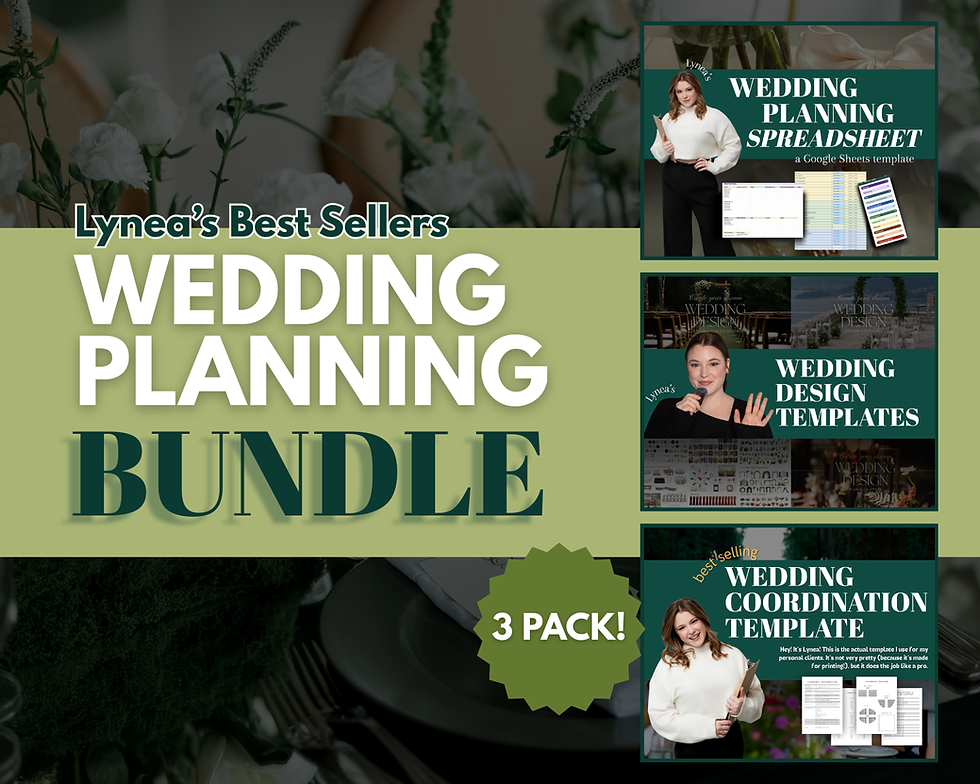
The Wedding Coordinator & Planner Bundle: a day of timeline coordination guide, seating chart floor plan tool, and Canva design templates for professional wedding and event planners. Three of my best selling tools, together for the first time!
If you are planning weddings professionally, whether that is full service, month of, or day of coordination, these are the three things I reach for on every single wedding. A coordination guide that holds every detail, a design system that makes you look like you have a full studio behind you, and a floor plan tool that ends the seating chart headache for good.
Here is what is inside:
1) The Day Of Coordination Guide
This is the document that keeps you calm when a vendor is running late and the mother of the bride is asking you three questions at once. Everything lives in one place.
-Cover page with space for the couple's names, date, location, and your phone number
-Full contact directory covering the couple, parents, the entire bridal party, and every vendor from venue and officiant to hair, makeup, florals, bar, transportation, and rentals
-Accommodation and transportation plans for the couple, bridal party, and guests, plus arrival, rehearsal, and rehearsal dinner details
-A minute by minute day of timeline built to share with your couple
-A second version of that timeline with a coordination notes column for vendor arrival times and behind the scenes tasks, so your couple sees the pretty version and you keep the working one
-Catering and bar sections for appetizers, entrees, desserts, and cocktails
-Ceremony and reception music cues, including a do not play list
-Ceremony seating layouts: traditional, rounded, circular, and a custom option
-Full ceremony logistics with guest count, reserved seats, aisle and arch decor, procession order, and a rain plan
-Cocktail hour page with signature drinks, bar decor, a photo shot list, and a vendor social tag list
-Seating chart planning with table quantities, shapes, seating priorities, and extras like dance floor, bar, and photobooth
-Fill in guest lists for tables 1 through 15, plus a notes section
-Reception page covering grand entrance, dances, toasts, dinner and clean up, end of night plan, and a full decor breakdown by area
-Final checklist for tipping, rental returns, exit plan, and the marriage license, plus a recommended emergency kit supply list
2) The Design PackThis one changed my business, and I do not say that lightly. Designs that used to take me days now take hours, and they look more professional than anything I was making before.
You get over 3,000 visuals to drag and drop your client's wedding vision into place, across four templates: Color and Texture, Fundamentals and Decor, Florals and Attire, and Getting Started.
There is a video tutorial walking you through your first design, plus six more tutorials on using this work to raise your value as a vendor. Not just how to click the buttons, but how to actually sell design as part of what you offer.
Please note this one requires Canva Pro. This also includes the correct licensing for you to reuse for your business.
3) The Floor Plan and Seating Chart ToolAn interactive floor plan tool that runs right in your web browser. No app to download, no design skills, and no monthly subscription, which is the part I am most proud of.
-Drag in real tables, true to size: rounds, banquets, serpentine, sweetheart and head tables, plus dance floor, bar, DJ, cake table and more
-Live seat and guest counts, so you know if everyone fits before you commit
-Paste in the whole guest list, then seat people by tapping a name and tapping a chair, or dragging the name straight onto a seat
-Tag each guest's meal choice and get an automatic caterer count with no spreadsheet
-Download a clean PDF of the floor plan and a seating list by table, ready to hand the venue and caterer
-Save multiple client layouts side by side under different event names
Two ways to use it with a client:
You can build it yourself - collect the guest list and venue dimensions, lay it out, then send the PDF over for approval. Or you can send your couple the link and let them place their own guests, then send the PDF back to you. That second one saves you hours of seating chart tetris and hands on couples love it.
BEFORE YOU BUY, TWO THINGS TO KNOW
-The Design Pack requires Canva Pro.
- The Floor Plan Tool saves your work in your web browser rather than to a cloud account, because this is not a subscription. That means a few small rules. Use a desktop or laptop rather than your phone. Stick with one browser, so if you build in Chrome, come back in Chrome. You and your client cannot both edit the same layout at the same time. (Instructions included in your purchase email)
HOW YOU WILL GET IT
Everything downloads instantly after purchase. The guide and design template come as links to your templates, and the floor plan tool comes as a PDF containing your private link to the live tool. Click it, bookmark it, and you are in.
WHY THIS BUNDLE
Most planners are paying monthly for a layout tool, cobbling together a coordination doc in Google Docs, and building design boards from scratch every time. This replaces all three for one price, with no subscription, for as long as you are in business.
Grab it and go build something beautiful!